
QuickBooks vs. Xero: The 2025 Guide for Canadian Businesses
Choosing accounting software is one of the first decisions a small business owner makes — and it's one of the most consequential. In Canada, QuickBooks Online and Xero dominate the market, together accounting for the vast majority of cloud accounting software used by small businesses.
Both are excellent platforms. But they have meaningful differences in interface, Canadian tax support, accountant adoption, pricing, and integrations. This guide helps you make the right choice for your business.
Quick Comparison Overview
| Feature | QuickBooks Online | Xero |
|---|---|---|
| Canadian market share | ~65% | ~25% |
| Accountant/bookkeeper familiarity | Very high | High |
| HST/GST/PST support | Excellent | Excellent |
| Multi-currency | Plus plan and above | All plans |
| Payroll (Canada) | Available (extra fee) | Via Wagepoint or Gusto |
| Mobile app | Good | Good |
| Bank feeds | Excellent | Excellent |
| Inventory tracking | Plus plan and above | Standard plan and above |
| User interface | Traditional, feature-rich | Modern, clean |
| Starting price (Canada, 2025) | $22/month | $20/month |
QuickBooks Online Canada: In-Depth Review
Strengths
1. Dominant market share means more support QuickBooks Online is used by approximately 65% of Canadian small businesses. This means your accountant almost certainly knows QuickBooks — reducing year-end friction and allowing for seamless handoffs. It also means more YouTube tutorials, community forums, and third-party resources.
2. Superior Canadian-specific features Intuit (QuickBooks's parent company) has invested heavily in the Canadian market. QBO Canada offers: - Automatic HST/GST/PST rate configuration by province - CRA-compliant HST return generation - Canadian payroll with all provincial tax tables (via QuickBooks Payroll) - T4 and T5 slip preparation - Canadian-specific chart of accounts templates
3. Comprehensive integrations QuickBooks connects with 750+ third-party applications — far more than Xero. For businesses using Shopify, WooCommerce, Square, PayPal, or most Canadian financial institutions, QuickBooks's integration library is excellent.
4. More robust reporting on higher plans QuickBooks's Plus and Advanced plans offer more report customization than comparable Xero tiers — particularly useful for construction job costing, class tracking, and multi-department reporting.
Weaknesses
1. Pricing increases quickly The base Simple Start plan ($22/month) is limited. Most businesses need the Plus plan ($63/month) for inventory, project tracking, and budgeting. Those costs add up — especially compared to Xero's more inclusive pricing.
2. Interface can feel cluttered QuickBooks has more features, but the interface is busier and has a steeper learning curve. Users switching from a spreadsheet often find the layout overwhelming initially.
3. Multi-currency limited to higher plans Multi-currency is only available on Plus and Advanced plans — a frustration for businesses with US or international clients.
Xero: In-Depth Review
Strengths
1. Cleaner, more intuitive interface Xero was built from the ground up as a cloud platform, and it shows. The interface is consistently described as cleaner and more intuitive than QuickBooks. Business owners who want to log in and quickly understand their financial position often prefer Xero's dashboard.
2. Multi-currency on all plans Unlike QuickBooks, Xero includes multi-currency support on all plan tiers — a significant advantage for businesses that invoice in USD, EUR, or other currencies. For Canadian businesses with international clients, this alone can make Xero the better choice.
3. Unlimited users on all plans Xero charges by features, not users. QuickBooks charges extra for additional users (particularly relevant for businesses with accounting staff, a bookkeeper, and an accountant all needing access). Xero's unlimited users policy often makes it more cost-effective for growing teams.
4. Strong bank reconciliation Xero's bank reconciliation interface is particularly well-designed — many bookkeepers say it's easier to reconcile in Xero than in QuickBooks, which matters when you're processing hundreds of transactions per month.
Weaknesses
1. Lower accountant adoption in Canada While Xero is growing, fewer Canadian accountants and bookkeepers specialize in it compared to QuickBooks. At year-end, your accountant may need additional time to work in an unfamiliar platform — potentially adding cost.
2. Payroll requires third-party add-on Xero does not have a native Canadian payroll module. You'll need a third-party payroll provider like Wagepoint or Gusto Canada (both integrate well with Xero), adding $20–$50/month to your software stack.
3. Limited inventory features on lower plans Xero's inventory management (on standard plans) is less sophisticated than QuickBooks Plus for businesses with complex inventory needs — though both platforms recommend dedicated inventory software for high-volume retail.
Canadian Tax Support: Both Excel
Both platforms handle Canadian tax requirements well:
- ●HST (Ontario, Maritimes): ✓ Both
- ●GST + PST (BC, Saskatchewan, Manitoba): ✓ Both
- ●GST only (Alberta, Yukon, NWT, Nunavut): ✓ Both
- ●QST (Quebec): ✓ Both
- ●CRA HST return filing support: ✓ Both
Neither platform files directly with CRA on your behalf — they calculate the amounts and generate the return for you (or your bookkeeper) to file through CRA's My Business Account.
Which Should You Choose?
Choose QuickBooks Online if: - You want the platform your accountant is most likely to know - Your business has complex inventory, job costing, or class tracking needs - You want the largest integration library - You'll use Canadian payroll
Choose Xero if: - You invoice clients in multiple currencies regularly - You want a cleaner, more modern interface - You have multiple team members needing software access - You're comfortable managing payroll through a third-party tool
When it doesn't matter much: For straightforward businesses (service businesses, consultants, small retailers) with simple bookkeeping needs, either platform will serve you well. In that case, go with what your [virtual bookkeeper](/virtual-bookkeeper) recommends — they'll be in the software every day, and their preference matters most.
A Note on Working with a Bookkeeping Service
If you use a professional online bookkeeping service like Outsource Bookkeeping, the software choice matters less to you directly — your bookkeeper manages the platform and you receive clean financial reports regardless.
At Outsource Bookkeeping, we work with both QuickBooks Online and Xero and can migrate your data from one to the other. During your free consultation, we'll recommend the best fit for your business and set it up correctly from the start.
QuickBooks vs. Xero Canada: 2026 Update
As of 2026, QuickBooks Online remains the most widely used accounting software among Canadian small businesses, with approximately 60% market share. Xero has grown significantly, particularly among e-commerce businesses and companies with international transactions.
Both platforms integrate with your bookkeeper's workflow. At Outsource Bookkeeping Canada, we work with whichever software you prefer — QuickBooks Online, Xero, or Wave. Our flat rate from $500/month covers all transactions regardless of platform.
Best Accounting Software Canada (2026)
- QuickBooks Online — Best overall for Canadian small businesses. Strong HST/GST support, payroll (QuickBooks Payroll), CRA e-filing, wide accountant support.
- Xero — Best for e-commerce and multi-currency. Clean interface, excellent bank feeds, strong third-party integrations.
- Wave — Best free option. No monthly fee, basic invoicing and accounting. Limited features; suitable for very small businesses with under 20 transactions/month.
- Sage 50 — Best for inventory-heavy businesses. Desktop-based, strong inventory management, popular with manufacturers and distributors.
Frequently Asked Questions
See the work before you buy it
This is what lands in your inbox by the 10th.
A 11-page management package and the matching Excel workbook — your P&L against industry targets, EBITDA with owner-pay scenarios, and a cash flow written in sentences. Read the real thing, page by page.
See the full package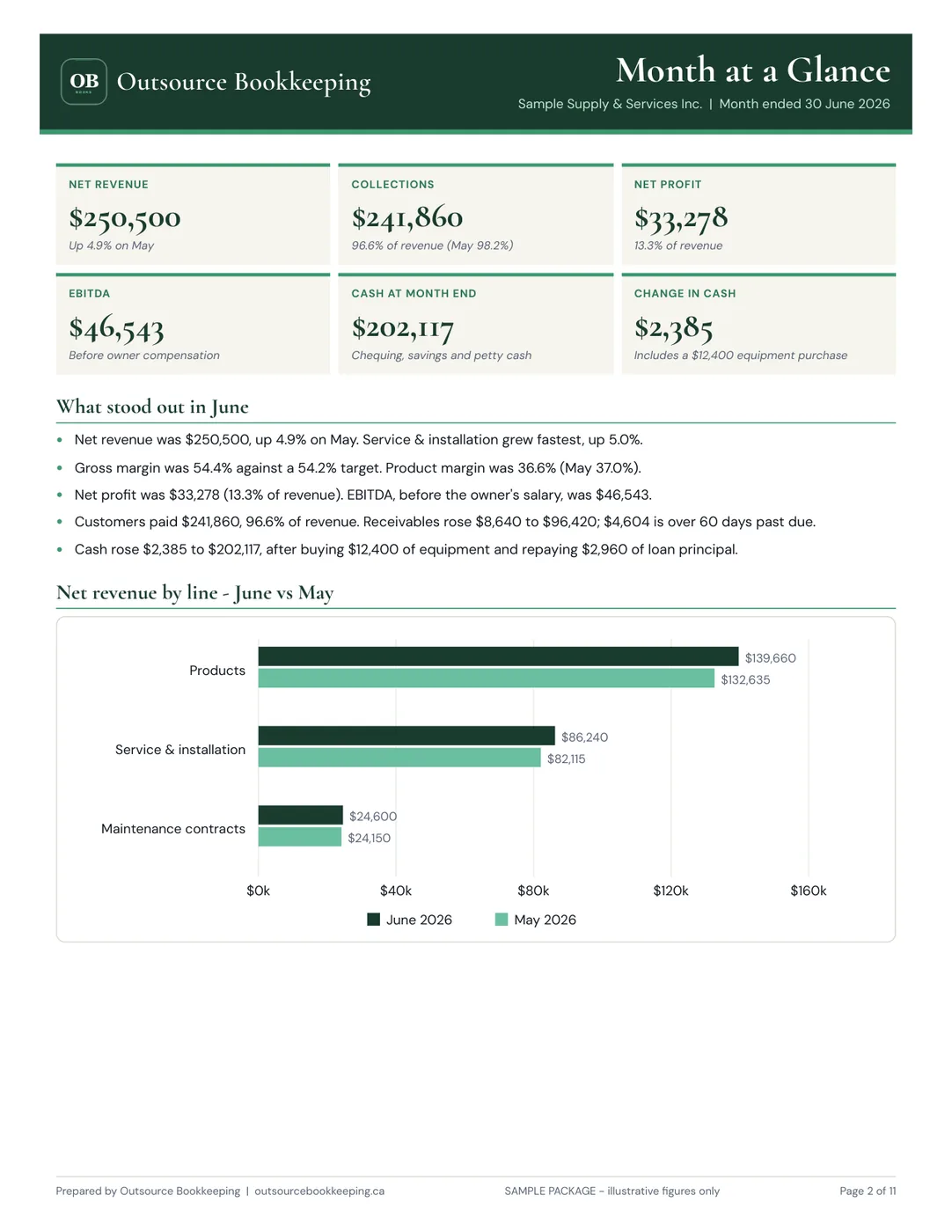
Need professional bookkeeping?
Outsource Bookkeeping delivers CRA-ready financial reports by the 10th of every month — flat rate, no surprises. See our pricing →
